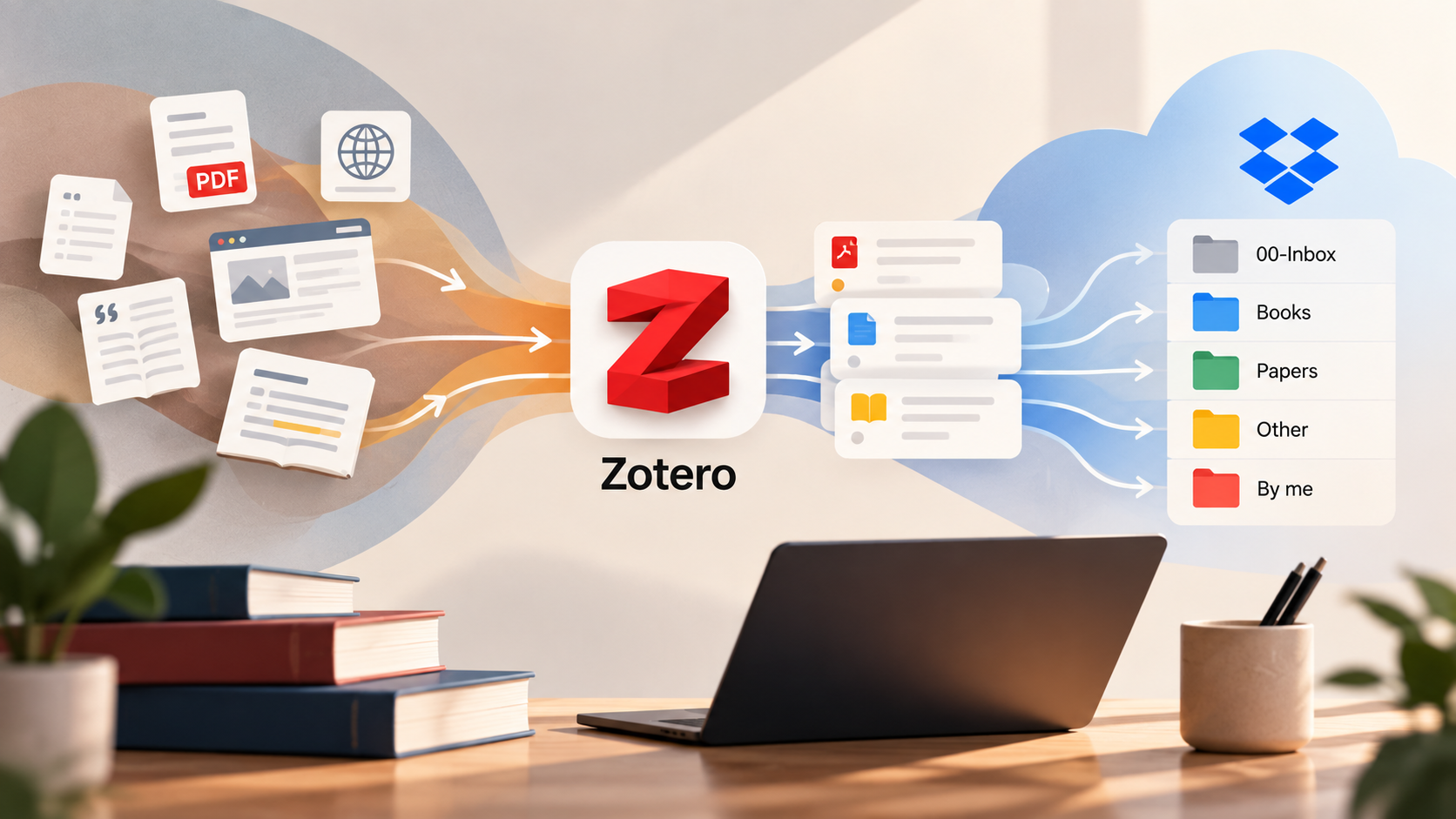
If you’ve been reading my blog for a while, you may have noticed that I have a thing for building, changing, breaking, and rebuilding my personal knowledge management systems.
My academic workflow went through a few iterations as well. I started with a relatively simple Obsidian-based research workflow, later introduced Zotero, and gradually changed how I use Obsidian as my broader “Life OS”.
And, well… here we go again.
This time I wanted to solve a very specific problem:
How do I:
1) store actual files (papers, books in PDF, EPUB) in a human-readable format,
2) link each file to proper meta data/Zotero reference,
3) have the files available on any device
4) have meta data/Zotero references available on any device
5) don’t use Dropbox for Zotero data directly (as conflicting changes can permanently corrupt your zotero.sqlite database file)
Basically, I want Zotero for what Zotero is great at: references, metadata, collections, citations and Word integration. AND also –> I want my actual books and papers to exist as normal, human-readable files in Dropbox.
Eventually, I want AI to help me organize and make sense of the whole thing, but that’s an easy-to-add cherry on top.
The Problem
Zotero is great. You can store a paper, have its authors, publication date, DOI, journal etc. attached to it, organize it into collections, and then cite it directly from Word. For academic writing, this is incredibly useful.
Additionally, it’s “open source and developed by an independent, nonprofit organization that has no financial interest in your private information” (while e.g. Mendeley is owned by Elsevier).
For me, the problem is file management.
By default, Zotero manages attachments inside its own storage structure. This is perfectly reasonable from Zotero’s perspective, but I don’t particularly like having my research library effectively hidden behind application-managed directories.
I want to be able to open Dropbox and see something like:
Research-Library/
├── Books/
├── Papers/
├── By-Me/
└── Other/
and then the files:
2026 - Belčević and Pamučar - The great divide....pdfNot some randomly named folder or file that only makes sense to Zotero.
Besides, I’ve become increasingly interested open source and in future-proofing my data. I like tools, but I don’t want my information architecture to depend entirely on a particular tool continuing to exist. (This is why I also like Obsidian with least possible plugins.)
A PDF with a sensible filename sitting inside a normal Dropbox folder is about as boring as technology gets. And boring is sometimes very good.
The Basic Architecture
I learned you can use ‘linked attachments’ and ended up separating the system into two layers:
Zotero manages information about the research.
Dropbox stores the actual files.
In simplified form:
                 ZOTERO

        metadata / references
        authors
        titles
        DOI / ISBN
        tags
        collections
        notes
        citation information
                 │
                 │ linked attachment
                 ▼
               DROPBOX

          Research-Library/
          ├── Books/
          ├── Papers/
          ├── By-Me/
          └── Other/
This distinction is important.
The citation is not the PDF.
A Zotero item might contain:
Title: The Great Divide
Authors: Belčević, Miloš; Pamučar, Dragan
Year: 2026
DOI: ...
Journal: ...
and point to a PDF sitting somewhere in Dropbox.
When I use Zotero in Word, Word talks to the Zotero reference, not the PDF.
I can cite something even if I don’t have the PDF at all. Maybe, for example, I only have or have borrowed a physical book.
Dropbox: Deliberately Boring
My Dropbox structure is intentionally simple:
Research-Library/
├── 00-Inbox/
├── Books/
├── Papers/
├── By-Me/
└── Other/
00-Inbox is temporary.
Everything new lands there before being classified. The other four directories are permanent.
Books contains books and ebooks.
Papers contains academic papers.
By-Me contains things where I’m an author or co-author.
Other catches reports, theses, standards and other material that doesn’t cleanly fit elsewhere.
That’s it.
I’m deliberately resisting the temptation to create something like:
Papers/
└── PhD/
    └── Requirements Engineering/
        └── Requirements Prioritization/
            └── Fuzzy/
                └── ANFIS/
It looks organized today and becomes archaeology two years later. More importantly, one paper can be about requirements prioritization, fuzzy logic, AI, and optimization simultaneously.
A filesystem forces me to choose one location. Zotero doesn’t.
Zotero Collections Are Not Folders
This was one of the useful mental models for me.
Dropbox folders: what the file physically is.
Zotero collections: what I’m using it for.
For example, a paper I co-authored can physically exist once:
Dropbox/
└── Research-Library/
    └── By-Me/
        └── 2026 - Belčević and Pamučar - The great divide....pdf
But its Zotero record could simultaneously belong to:
My Publications

PhD
└── Requirements Prioritization

Paper - Some New Paper I'm Writing
There are no three copies. There is one Zotero item, one PDF, and several contexts in which that research is useful.
I particularly like this for active research projects.
If I’m writing a paper with a colleague, I can simply create a Zotero collection for that paper and throw all relevant references into it.
The actual PDFs remain wherever they logically belong in Dropbox.
Tags Go One Level Deeper
Collections provide context.
Tags describe content.
For example:
requirements-prioritization
product-backlog
fuzzy-logic
anfis
machine-learning
optimization
empirical-study
systematic-review
I am considering using a few workflow tags:
to-read
reading
read
key-paper
One rule I’m trying to follow is not creating hundreds of tags in advance.
I know myself. I could spend an afternoon designing the world’s greatest taxonomy instead of actually reading a paper.
So I’ll start small and evolve it based on actual use.
Making Zotero and Dropbox Work Together
For this setup, I’m using ZotMoov, a Zotero plugin for managing attachment files.
The flow currently looks like this:
New PDF / EPUB / DOCX
        │
        ▼
      Zotero
        │
        ▼
Readable filename
        │
        ▼
     ZotMoov
        │
        ▼
Dropbox/Research-Library/00-Inbox/
I’ve configured Zotero to produce human-readable filenames roughly following:
YEAR - AUTHOR - TITLEFor example:
2026 - Belčević and Pamučar - The great divide....pdfThis is important to me.
If Zotero disappeared tomorrow, the Dropbox library would still make sense.
I could open Papers, sort by filename, search normally, copy the library somewhere else, or use another application.
No migration would be necessary just to understand what my own files are.
Moving Files Without Breaking Zotero
There is one important catch with linked files.
If Zotero thinks an attachment is here:
00-Inbox/paper.pdfand I manually move it in Dropbox to:
Papers/paper.pdfZotero doesn’t magically know that. Its link can break.
So I don’t manually move managed research files between the directories.
Instead, I created ZotMoov actions:
Move to Books
Move to Papers
Move to By-Me
Move to Other
When I use one of those from Zotero, ZotMoov moves the actual file and updates the Zotero attachment link.
This gives me the human-readable filesystem I want without constantly breaking Zotero.
And Then There’s Word, a Golden Standard for Writing Papers
This is ultimately one of the main reasons Zotero remains in the setup.
While writing an academic paper in Word, I can search my Zotero library for an author or title and insert the reference.
Zotero handles it something like:
(Belčević & Pamučar, 2026)and builds the bibliography automatically according to the selected citation style.
Dropbox has nothing to do with this part.
It simply holds the source files.
This separation is actually what makes the setup nice:
Dropbox → files
Zotero  → research/reference management
Word    → final academic writing
Each tool does what it is good at.
Next Step: AI
This is where I want to take the system next.
Right now 00-Inbox provides a very obvious automation boundary.
Imagine dropping ten papers into the system and having AI inspect each one.
For a new document it could identify:
Document type:
Journal article

Suggested destination:
Papers

Topics:
requirements-prioritization
product-backlog
generative-ai

Method:
empirical-study

Relevant collections:
PhD → Requirements Prioritization
Paper → [current paper]

Suggested status:
to-read
Then I approve the suggestions.
The system moves the file using the Zotero-aware mechanism, adds the appropriate tags and collections, and perhaps generates a short summary.
Eventually I want to be able to ask questions such as:
What papers do I have comparing AI-driven and traditional backlog prioritization?
or:
Which unread papers in my library are relevant to fuzzy requirements prioritization?
or even:
Based only on papers in my library, what are the major approaches to requirements prioritization and where are the research gaps?
At that point, the library stops being merely storage.
It becomes something I can actually interact with.
Why Not Just Let AI Organize Everything?
Because I’ve learned this lesson elsewhere. AI is very good at doing things at scale. That also means it’s very good at making a mess at scale.
I don’t want an agent deciding that I need:
ai
artificial-intelligence
AI
gen-ai
generative-ai
genai
machine-intelligence
as seven different tags.
So I’m leaning toward a controlled vocabulary where AI suggests classifications from an existing set, and I approve additions when genuinely necessary.
Same with files.
I don’t want an AI agent freely moving hundreds of research files around Dropbox without understanding that Zotero maintains links to them. Automation should understand the architecture it operates within.
A Small but Important Principle
There is a broader principle behind this setup that has gradually become important across my personal systems:
Own the underlying data; rent the interface.
Dropbox isn’t particularly exciting.
PDF isn’t exciting.
DOCX isn’t exciting.
A normal directory called Books is definitely not exciting.
That’s precisely the point.
Zotero adds a fantastic research-management layer on top.
Word adds academic writing and citation capabilities.
AI can add semantic search, classification and automation.
But underneath all of this I still have normal files with normal filenames sitting in normal folders.
If I replace Zotero someday, my PDFs remain.
If I replace Dropbox, I move a directory.
If today’s AI tooling becomes irrelevant, my library doesn’t care.
Tools should evolve around the information instead of the information being trapped inside the tools.
Wrapping Up
So, as of today:
DROPBOX
Research-Library/
├── 00-Inbox/
├── Books/
├── Papers/
├── By-Me/
└── Other/

ZOTERO
├── Bibliographic metadata
├── Collections
├── Project-specific collections
├── Tags
└── Linked Dropbox attachments

WORD
└── Zotero-powered citations + bibliography

NEXT
└── AI-assisted organization and research
This is simple enough that I understand exactly where everything is, but structured enough that it should scale to hundreds and then thousands of references.
Will I change it again?
Judging by the past behavior: almost certainly. 🙂
But that’s also part of the point.