My workflow has evolved, so this article is outdated. Read HERE about the new version.
In the Autumn of 2024, I enrolled in PhD studies at the Faculty of Organizational Sciences, Belgrade University. It’s been a long-term desire and opened many doors already – meeting interesting colleagues, learning a lot, working with world-class professors and mentors… and jumping into research and academic writing at a higher level. (Previously, I did 2 MScs, one of which was project-based, but I never published a scientific article, so it’s been exciting to work on real-life “science stuff” at a higher level for the first time).
I’ve previously experimented with second brain and digital gardening in Roam, Obsidian, and Notion, so it was only natural that I would apply the tools and techniques in this new context.
2 notes before we start…
- LOW TECH: I use (almost) no plugins or automation. This has downsides in the sense of making things manual, but also a big upside of future-proofing my notes, making them compatible with any future tool I might use if I switch from Obsidian (basically, I just use and have plain Markdown files)
- STILL EVOLVING: I’ve been actively using Obsidian in this new ‘academic’ way since early Jan ’25. My methods will likely change with time (and I’ll update the post accordingly if so)
3 Core Elements: Learning, Library, Research
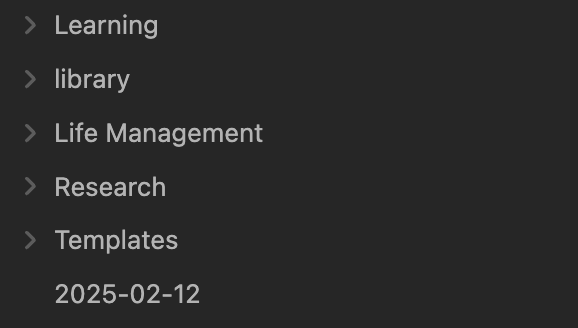
In my Obsidian Vault, I use 3 Core Elements for ‘academic’ life: Learning, Library and Research.
For my ‘life’ life, I use: Life Management. (More on Life Management some other time.)
Learning
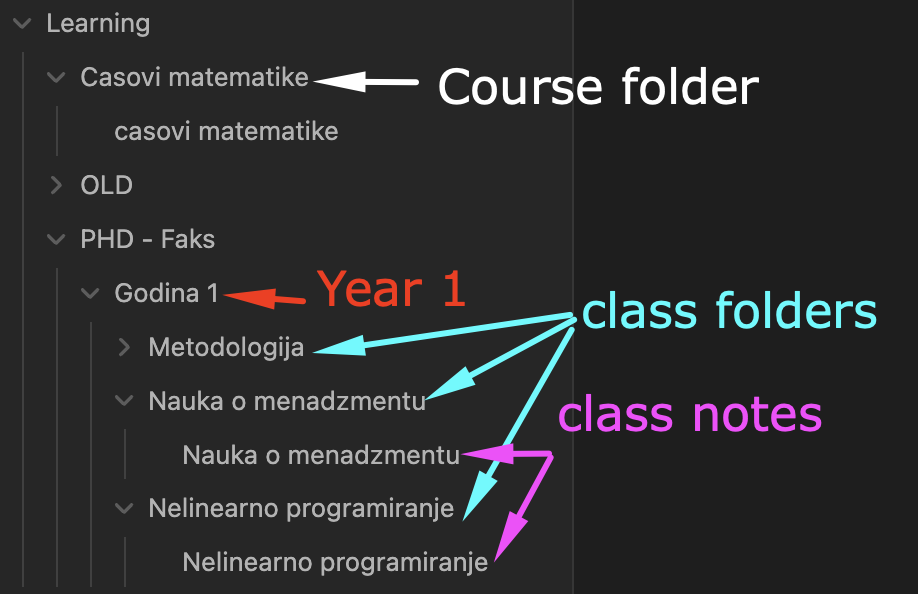
Learning is the least structured, least rigid portion. It’s intended for notes from classes I attend at the Uni; other courses I take, and similar.
I keep notes in folders for each:
Library
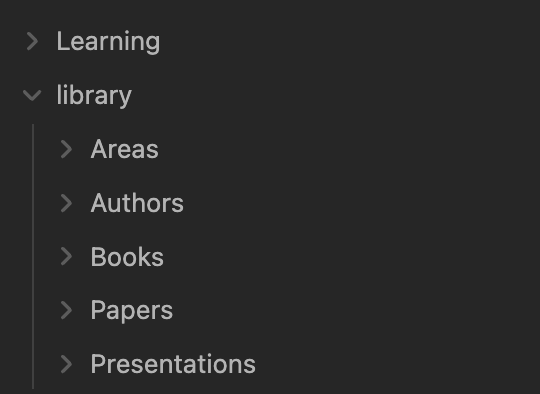
Library is the most structured, most rigid space, but it used as a reference point for everything else.
I have 5 folders:
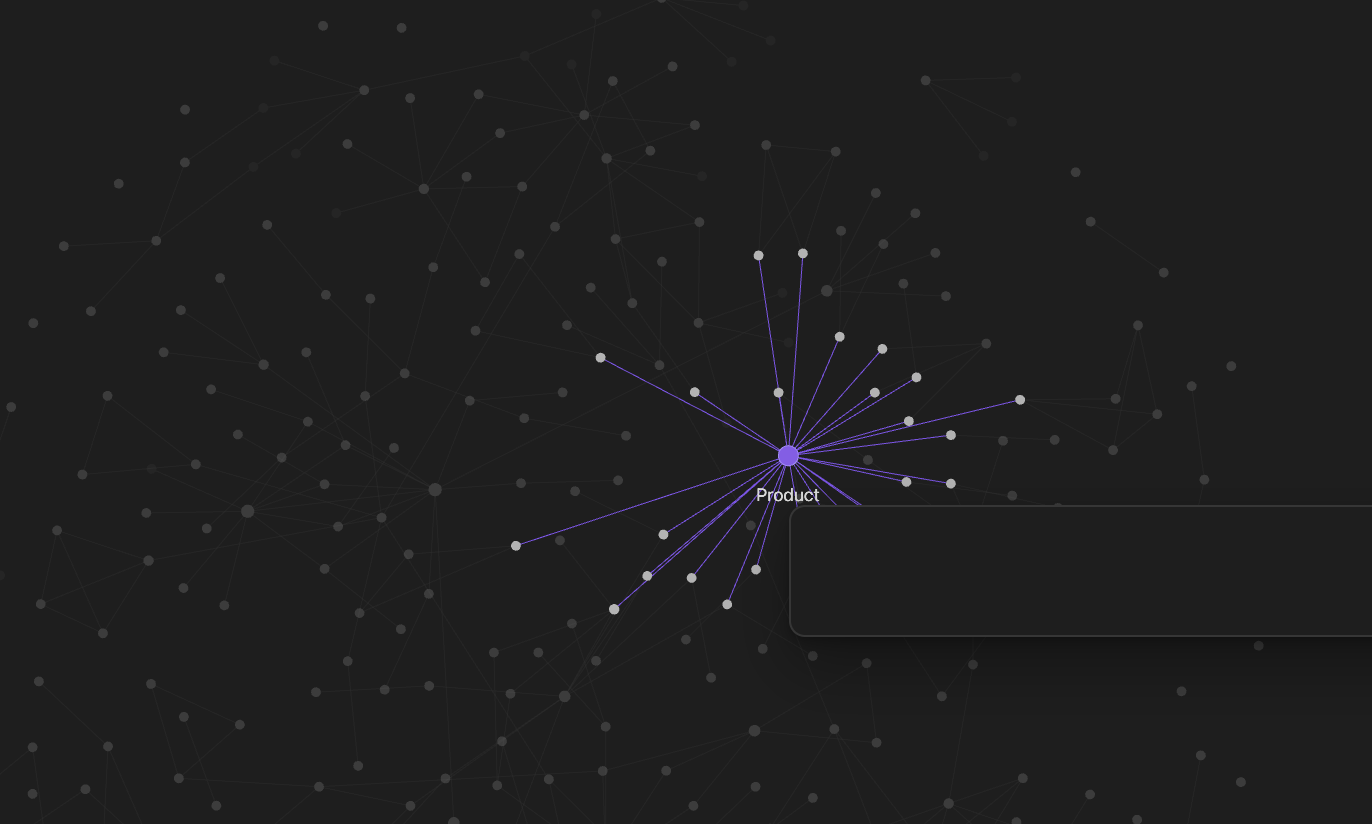
- Areas (for topics, such as Product, Business Models etc.) – each area is a page
- Authors (for Book, Paper, etc. authors) – each author is a page)
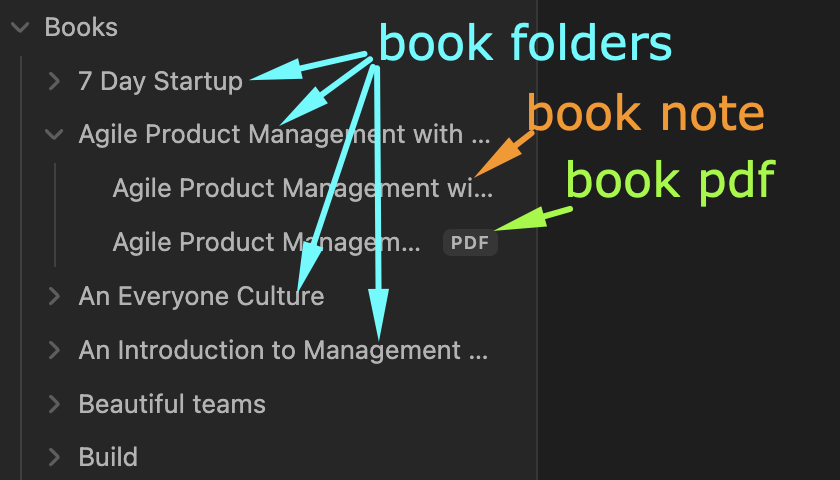
- Books (for books… duh) – each book is a folder, containing .pdf copy and a note
- Papers – same as books
- Presentations – same as books
Research
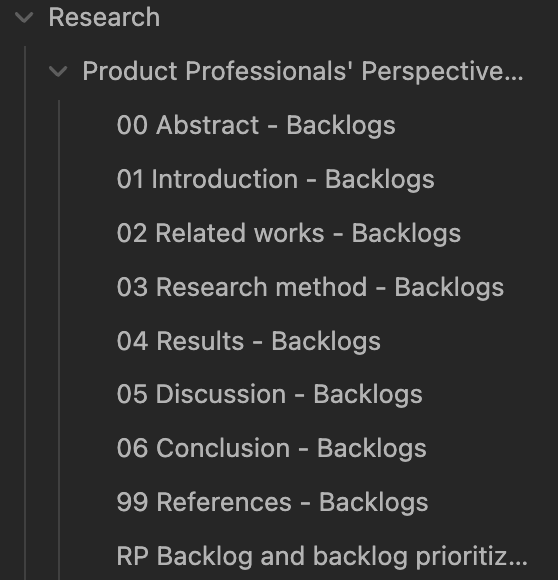
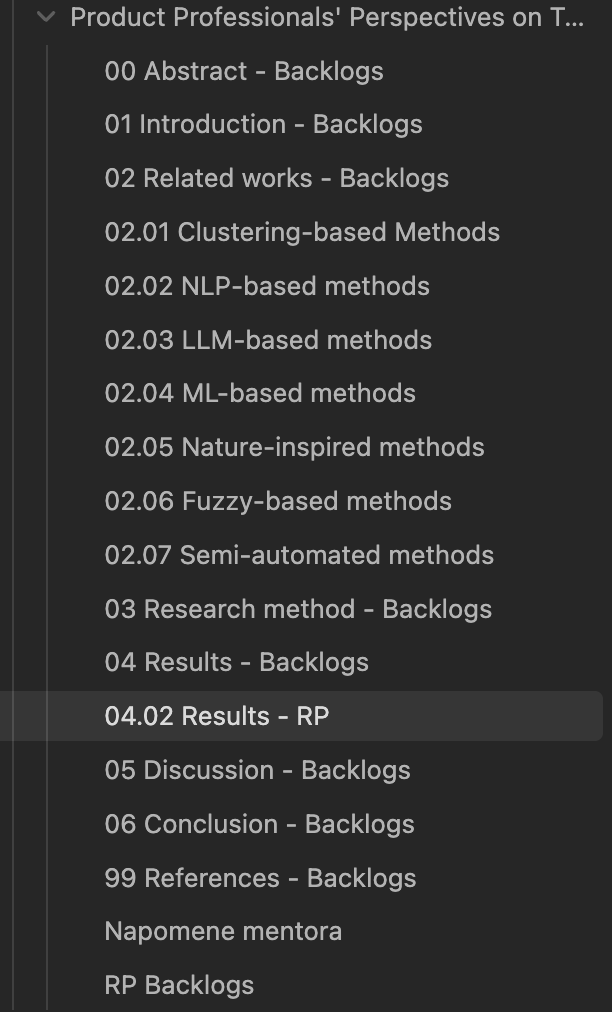
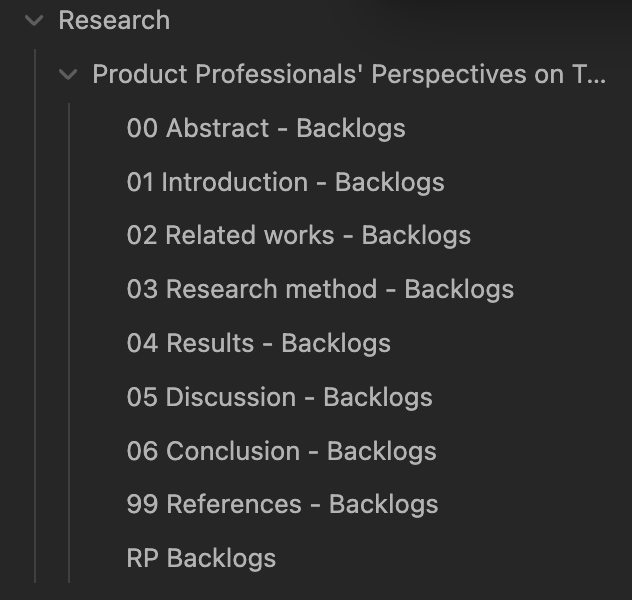
Research contains a folder for each article. Within the folder, there are notes for each article section (Abstract, Introduction, Related works…). There’s also a note with a prefix RP – standing for “Radna Površina” or “Desktop”.
Update #1 as of 21st of February
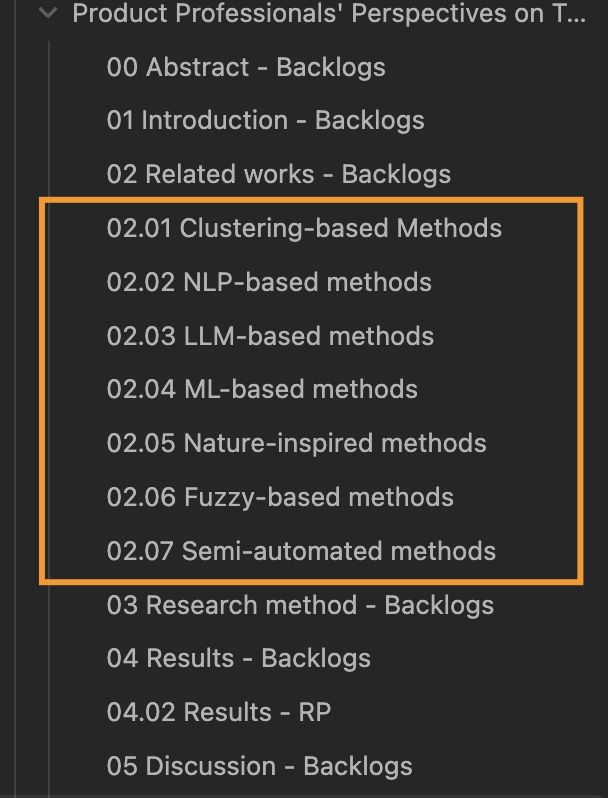
I noticed that some sections of the article are too large for a single note. For instance, related works are quite extensive, with different subsections, so I created notes for each of them. I copy from subsection notes to the main note as I progress. (The downside is that I need to keep both places manually in sync, but I am disciplined in the sense that I am editing in subsections, and then always copy-pasting to the main note as soon as I am done)
Update #2 as of 21st of February
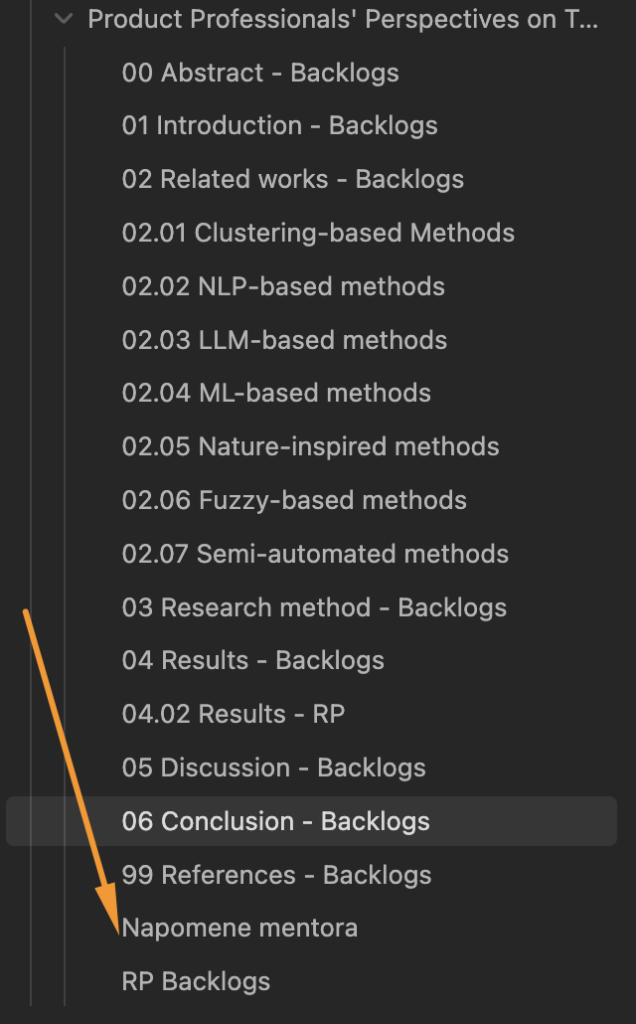
I have added a note for the mentor’s feedback: as we communicate in multiple email threads etc. it’s nice to have it all in one place (note within the particular space in Obsidian).
Update #3 as of 21st of February
Since I am continuously working on the results as well, I added a work in progress / desktop / radna površina note for Results: 04.02 – Results RP
The Flow
- Whenever I read something, I store it in the Library
- There’s a note file for my notes on the topic, be it book, paper, presentation…
- There’s a .pdf file for the original
- As the Obsidian folder itself is on my iCloud, I can read the original on iPad, and make ‘manual’ notes that are reflected in the pdf and synced everywhere
- Whenever I am learning something, I store it in the Learning
- There’s a folder and notes for each subject, such as math, statistics…
- There’s a parent folder for PhD classes as well
- Whenever I am working an article, I use a folder within Research
- For each section, there is a note in which I work
- At the bottom of the note, I have links to other notes and resources (e.g. from the Library)
- There is also Cited resources here (as well as in the note 99 Resources)
- For each section, there is a note in which I work
How It Looks In Practice
I started working on an article Product Professionals’ Perspectives on Traditional and AI-Enhanced Product Backlog Prioritization Approaches, and created a folder for it, with all the sections. I added “Backlogs” as code / shorter name to each note.
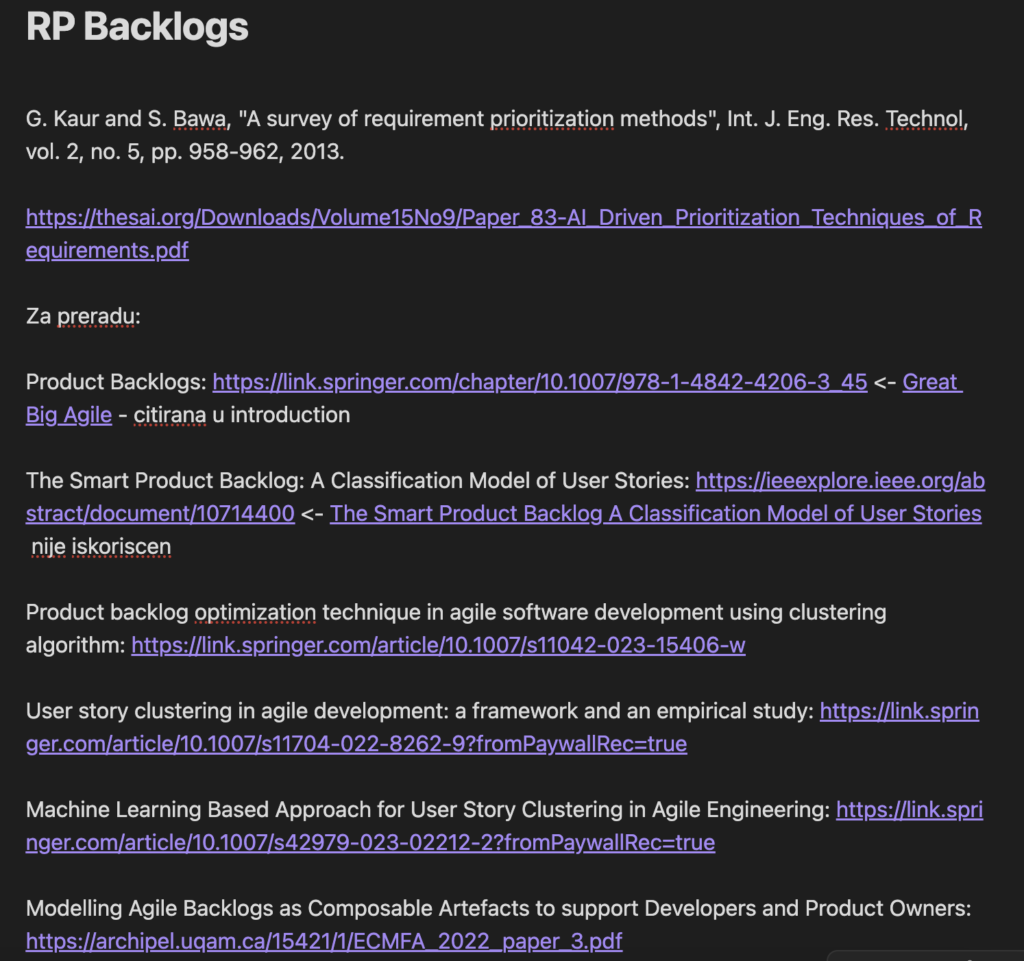
For my fleeting notes I use RP backlogs. Here I also keep papers I need to process, potential To Do’s, notes etc.
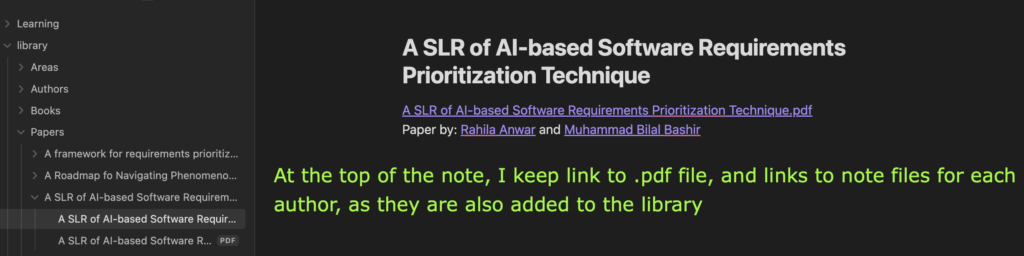
When I process a paper, it will end up in the Library. With original (pdf) I can make notes on when I read it; and Notes file where I can keep sections for citing, notes etc.
Any thoughts on how I could improve my system? What do you use for writing, learning and research?